Pixel Kitty
Introducing Pixel Kitty, an interactive gateway to your frame:work experience. Pixel Kitty features a state-of-the-art Dual-Core ARM processor, millions of bytes of onboard flash storage, patented FUSECATS Infra-Beacon networking technology, and a stunning 15x7 RGB Matrix display.
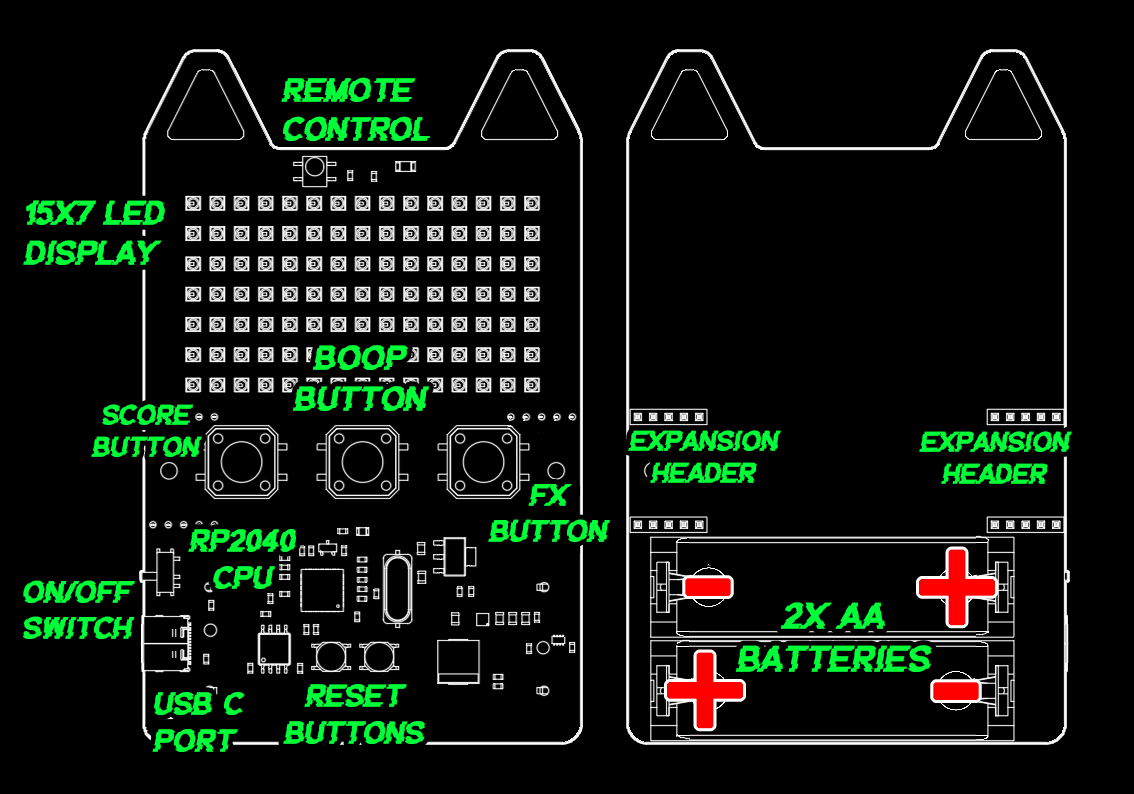
Pixel Kitty will help you identify yourself during the frame:work conference. Conference attendees who do not yet know you will be able to read your name off Pixel Kitty’s dazzling RGB matrix display — think of the networking opportunities! Additionally, should you forget who you are during the conference, you can look down at Pixel Kitty and be reminded of your identity.1

During onboarding, you were asked to provide a favorite color, which will be used as Pixel Kitty’s UI color to provide a spark of joy. If you find yourself needing a spark of joy, please look at Pixel Kitty. If you become bored of your favorite color and would like additional joy, Pixel Kitty offers a variety of fun text FX that you can cycle through by pressing the 'RIGHT' button. Please note that the effect of the additional FX have not been thoroughly tested and the amount of joy you receive may vary in a way that FUSECATS cannot be held responsible for.2
Batteries
Pixel Kitty is powered by two regular AA size batteries or USB Type-C. The batteries are not rechargeable and we expect them to last about 8 hours with the display on and the badge running.
While FUSECATS representatives will have some additional batteries available on the second day, we recommend powering off your badge when you leave the venue. Additionally, during some presentations, FUSECATS may remotely put Pixel Kitty into sleep mode to conserve power. We also recommend you switch your badge off during presentations.
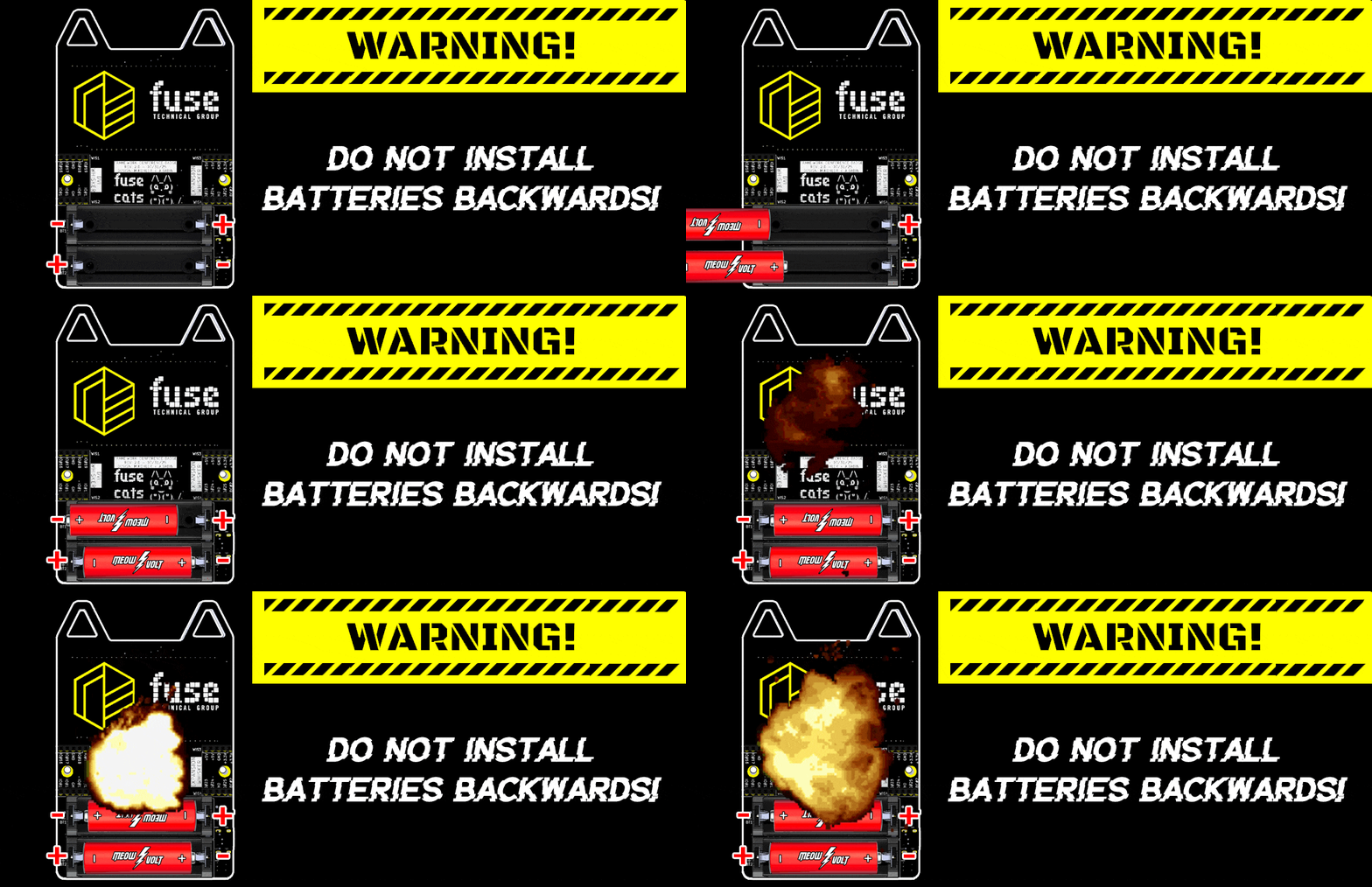
WARNING: DO NOT INSTALL BATTERIES BACKWARDS — THIS WILL DAMAGE THE DEVICE
Sleep and Modes
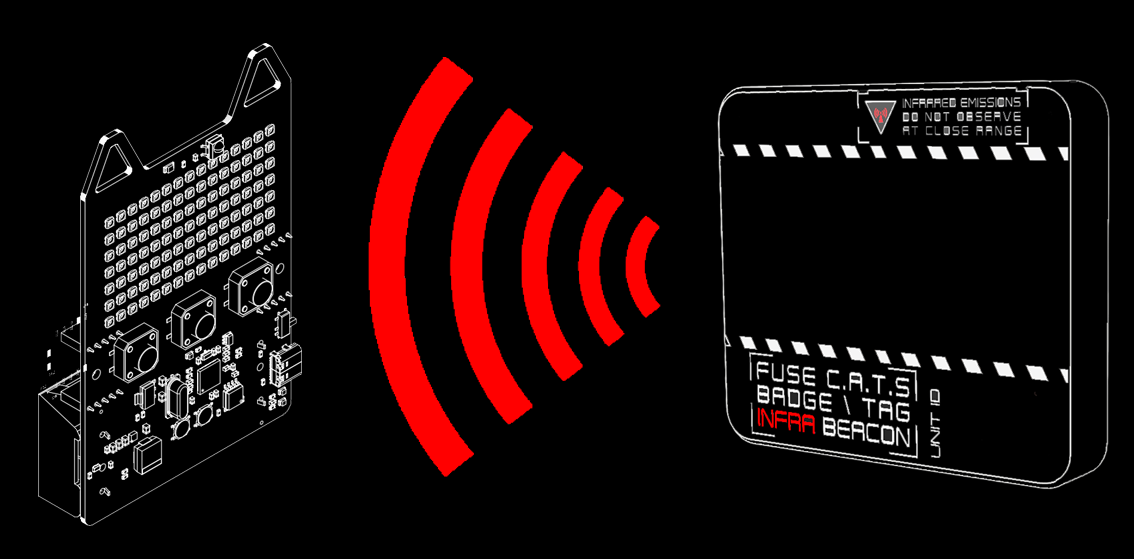
In order to conserve power,Pixel Kitty has a built in sleep mode that activates after 15 minutes of no activity. Additionally, the infrared emitters located around the venue can trigger "Nap Time" during session in order to conserve energy and reduce power usage. Badges can be woken up by pressing any button, or by power cycling them.
Pixel Kitty also has a feature for post-conference use. After the conference you may want to plug in your Pixel Kitty to use as a fun light up decoration, reminding you of your exciting time at Frame:Work NYC 2025, without the screen being dimmed or it going to sleep. To toggle Pixel Kitty into demo mode, reboot the device with the center button held in. You should see a lightning bolt animation indicating the device is in not low power mode. This setting is stored in the badge's flash memory and remains activated until changed back by once again holding the center button on boot. Please do not use Pixel Kitty in this mode during the conference as the brighter screen and lack of sleep will RAPIDLY diminish battery life.

Badge\Tag
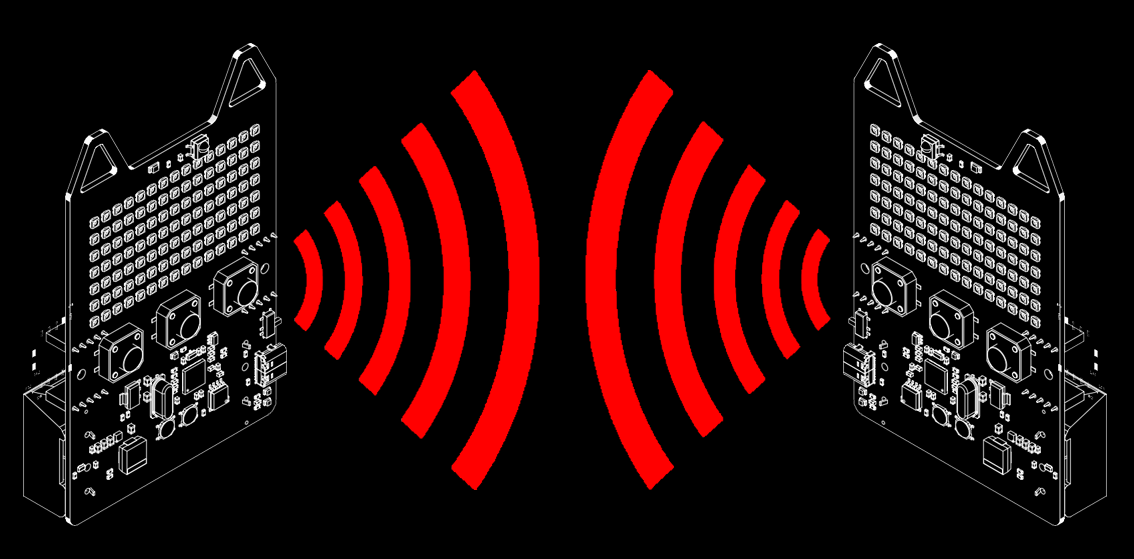
Throughout your frame:work conference journey, FUSECATS will be conducting an interactive experience called “Badge\Tag.” Badge\Tag operates much like laser tag but with fewer rules. Your Pixel Kitty is equipped with a FUSECATS Infra-Beacon transceiver and is capable of communicating with other attendees’ Pixel Kitties, as well as the conference itself.3
When interacting with other attendees, you can boop their Pixel Kitty by pressing the 'MEOW' button while facing them. This will illuminate their Pixel Kitty and award them framework points. It is then polite for them to boop your Pixel Kitty in return, granting you points. The more badges you boop, the more points you collect — and the more likely you are to win $FABULOUSPRIZE!4
Badge\Charms
In addition to collecting framework points, FUSECATS has partnered with Other Exciting Framework Sponsors to offer an additional collectible called “CHARMS.” Charms are low-resolution bitmap images stored in a cryptographically irresponsible way, such that the only way to obtain them is by talking to a charm-holder.
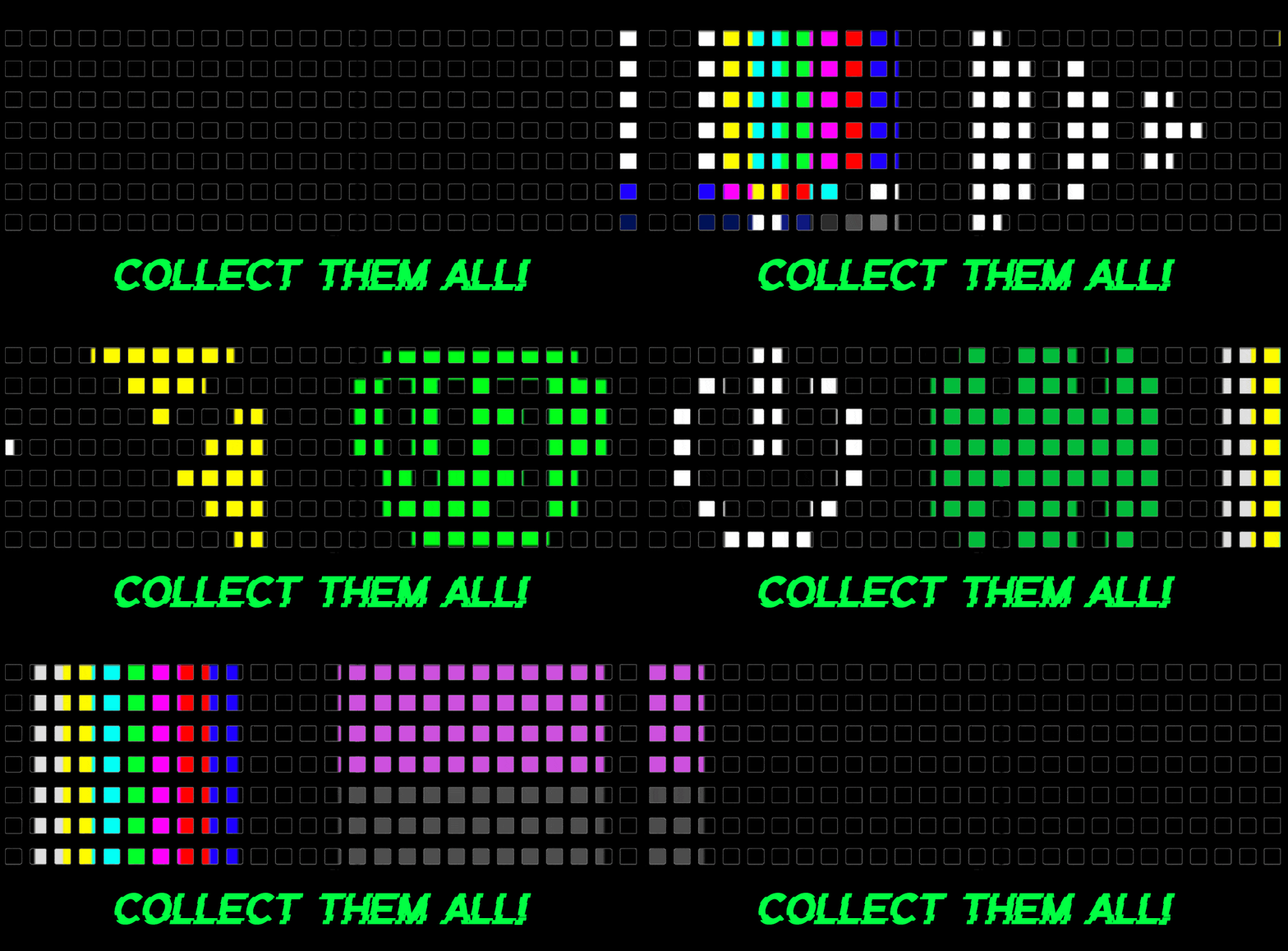
A charm-holder is a sponsor or attendee who has given FUSECATS prior consent
to transmit a charm image of their approval to your Pixel Kitty.
If a charm-holder boops your Pixel Kitty, you unlock this secret image
as a badge of honor for having defeated networked with that individual.
In addition to a collectible resolution icon, each charm will earn you additional framework points
toward your goal.
What if I want More Points?
There are more ways to gain framework points throughout the conference! FUSECATS cannot reveal exactly what gives you points (that would spoil the testing), but the more you framework, the more points you’ll get.
Badge\Score
To see your current charms and/or score, press the 'LEFT' button on Pixel Kitty. Each press cycles through the various score displays.
Share Your Score!
Pixel Kitty will only upload your score to FUSECATS at the dedicated Registration / Score Upload Kiosk. This special kiosk periodically asks your Pixel Kitty for information and records those responses to build the leaderboard.
Hacking
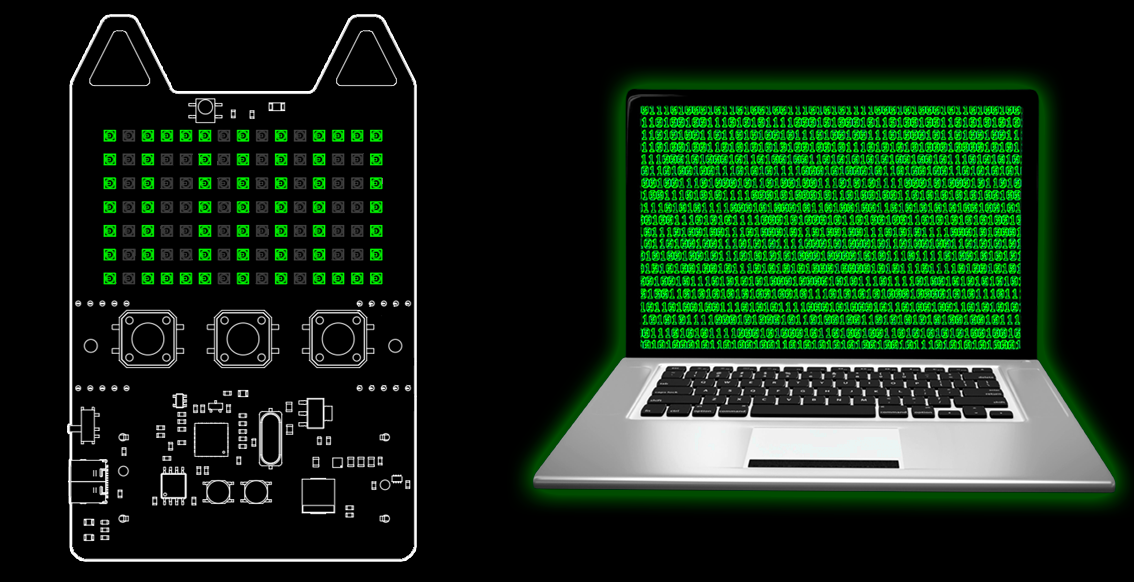
Pixel Kitty is designed for hacking. Hardware schematics are available elsewhere on this site, and source code and a badge configurator utility for the Badge\Tag game will be made available after the conference.
Additionally, any open source projects relating to Pixel Kitty will be added to the linkfarm on the main page after the conference. We encourage you to modify your badge as well as its code, however we ask that you respect your fellow attendees and refrain from anything that may make the Badge\Tag experience less fun for others — such as spamming infrared packets.
If you notice signs of hacking (or discover something yourselves), please let a FUSECATS representative know immediately — we want to buy them a drink and nerd out.
- When self-identifying with Pixel Kitty, ALWAYS hold unit upright or you might become upside down.
- The effect of the additional FX have not been thoroughly tested and the amount of joy you receive may vary in a way that FUSECATS cannot be held responsible for.
- Please note: while the conference may send your Pixel Kitty messages, it is not sentient and will not listen to you.
- Please note that FUSECATS cannot ensure the fabulousness of the fabulous prize.